
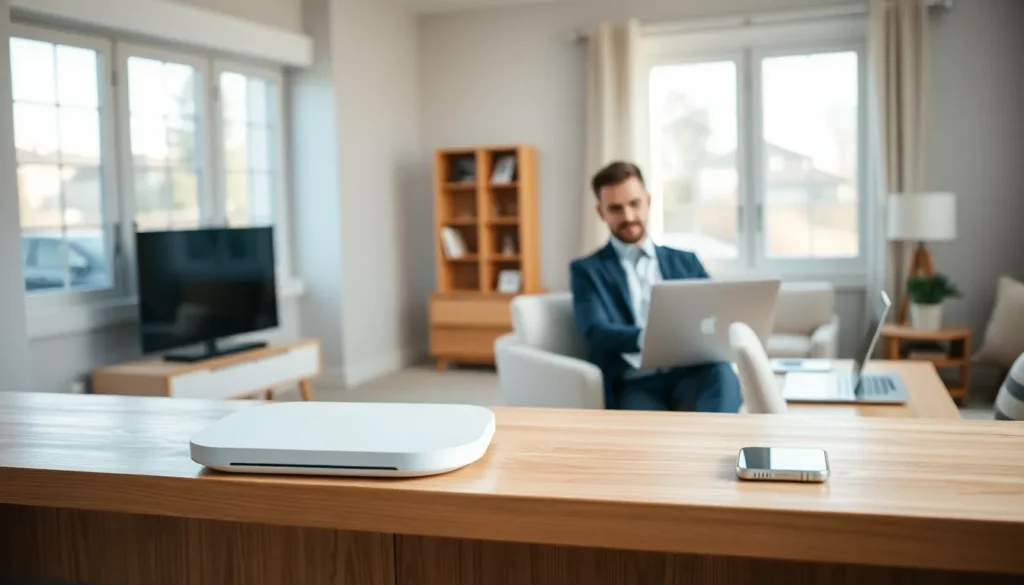

Slow Wi-Fi and dead zones frustrate millions of households every day. The good news? A few smart home networking ideas can transform a sluggish connection into a fast, reliable network. Whether someone works from home, streams 4K content, or manages a house full of smart devices, a well-designed network makes all the difference. This guide covers practical strategies to assess, upgrade, and optimize any home network for better speed, coverage, and security.
Table of Contents
ToggleKey Takeaways
- Run speed tests in multiple rooms to identify dead zones and coverage issues before upgrading equipment.
- Upgrade to a Wi-Fi 6 or Wi-Fi 6E router to handle more devices efficiently and unlock faster connection speeds.
- Place your router in a central, elevated location away from walls, metal, and appliances that weaken signals.
- Mesh systems eliminate dead zones more effectively than range extenders by using dedicated backhaul channels and seamless roaming.
- Enable QoS settings to prioritize video calls and gaming over background downloads during peak usage.
- Strengthen network security with WPA3 encryption, unique passwords, and a separate IoT network for smart home devices.
Assess Your Current Network Setup
Before spending money on new equipment, homeowners should evaluate their existing network. This step reveals problem areas and helps prioritize upgrades.
Run Speed Tests in Multiple Locations
Speed test apps like Ookla or Fast.com measure download and upload speeds. Users should run tests in different rooms to identify weak spots. A bedroom that gets 15 Mbps while the living room gets 200 Mbps signals a coverage problem.
Count Connected Devices
Modern households often have 20+ devices competing for bandwidth, phones, tablets, laptops, smart TVs, gaming consoles, and IoT gadgets. Most router admin panels show a list of connected devices. If the number surprises someone, it might explain slowdowns during peak usage.
Check Your Internet Plan
Sometimes the issue isn’t the network, it’s the plan. A family of four streaming video, gaming, and video calling simultaneously needs more than 25 Mbps. Households with heavy usage should consider plans offering 200 Mbps or higher.
Identify Your Router’s Age
Routers older than five years likely use outdated Wi-Fi standards. A router running Wi-Fi 4 (802.11n) won’t deliver the speeds that modern devices support. Upgrading to Wi-Fi 6 or Wi-Fi 6E hardware unlocks faster connections and better handling of multiple devices.
Upgrade Your Router Placement and Hardware
Router placement affects performance more than most people realize. Moving equipment or upgrading hardware can produce dramatic improvements.
Find the Optimal Location
Routers broadcast signals in all directions. Placing one in a corner or basement wastes half the coverage area. The best spot is a central location, elevated off the floor. A shelf in a hallway or living room often works well.
Walls, floors, and appliances weaken signals. Concrete, brick, and metal cause the most interference. Fish tanks, mirrors, and microwaves also disrupt Wi-Fi. Keep routers away from these obstacles whenever possible.
Upgrade to a Modern Router
Wi-Fi 6 routers handle more devices efficiently and deliver faster speeds. They use technologies like OFDMA and MU-MIMO to reduce congestion. For homes with many smart devices, this upgrade pays off quickly.
Wi-Fi 6E routers add access to the 6 GHz band. This newer spectrum has less interference because fewer devices use it. Gamers and streamers benefit most from this technology.
Consider Separate Access Points
Large homes may need more than one broadcasting point. Adding a wired access point to a distant area creates a second strong signal. This approach works better than relying on one router to cover 3,000+ square feet.
These home networking ideas address the most common performance bottlenecks without requiring technical expertise.
Expand Coverage With Mesh Systems or Access Points
Dead zones frustrate everyone. Mesh systems and access points eliminate coverage gaps throughout a home.
How Mesh Systems Work
Mesh networks use multiple units that communicate with each other. They create a single network name that devices connect to seamlessly. As someone walks from the garage to the bedroom, their phone switches between nodes automatically.
Popular mesh systems include Google Nest Wi-Fi, Eero, and TP-Link Deco. Most systems include two or three units, covering 3,000 to 5,000 square feet. Larger homes can add extra nodes.
Mesh vs. Range Extenders
Range extenders seem like a cheaper solution, but they have drawbacks. They create a separate network name and cut bandwidth in half because they receive and rebroadcast on the same channel. Mesh systems avoid these problems through dedicated backhaul channels and seamless roaming.
For anyone serious about home networking ideas, mesh systems deliver better results than extenders.
Wired Backhaul for Best Performance
Mesh nodes communicate wirelessly by default. Running Ethernet cables between nodes (called wired backhaul) improves performance significantly. Homes with existing Ethernet wiring should take advantage of this option. The wireless capacity stays available for client devices instead of node-to-node communication.
Powerline Adapters as an Alternative
Some homes lack Ethernet wiring and can’t easily run cables. Powerline adapters send network signals through electrical wiring. They plug into outlets and provide Ethernet ports on both ends. Performance varies based on electrical wiring quality, but they offer a middle-ground solution.
Optimize Your Network for Speed and Security
Hardware placement matters, but software settings also affect performance. A few configuration changes improve both speed and protection.
Choose the Right Frequency Band
Most routers broadcast on 2.4 GHz and 5 GHz bands. The 2.4 GHz band travels farther but runs slower. The 5 GHz band delivers faster speeds over shorter distances. Devices close to the router should use 5 GHz. Smart home sensors and distant devices work better on 2.4 GHz.
Some routers let users assign specific devices to specific bands. This manual control prevents slow devices from dragging down fast ones.
Enable QoS Settings
Quality of Service (QoS) features prioritize certain traffic types. A household can set video calls or gaming to take priority over background downloads. During a Zoom meeting, file syncing won’t cause lag.
Update Firmware Regularly
Router manufacturers release firmware updates that fix security holes and improve performance. Many people never update their routers. Checking for updates every few months keeps the network running smoothly and safely.
Strengthen Security
Weak security invites problems. Every network should use WPA3 encryption if available, or WPA2 at minimum. Default passwords need changing, both the Wi-Fi password and the router admin password. Strong, unique passwords prevent unauthorized access.
A guest network keeps visitors’ devices separate from personal devices. This setup protects smart home equipment and computers from potential threats that visitors might unknowingly carry on their phones.
Consider a Separate IoT Network
Smart home devices often have weak security. Creating a separate network (or VLAN) for IoT gadgets isolates them from computers and phones. If a smart bulb gets compromised, it can’t reach sensitive devices.
These home networking ideas turn a basic setup into a fast, secure system that handles modern demands.


