
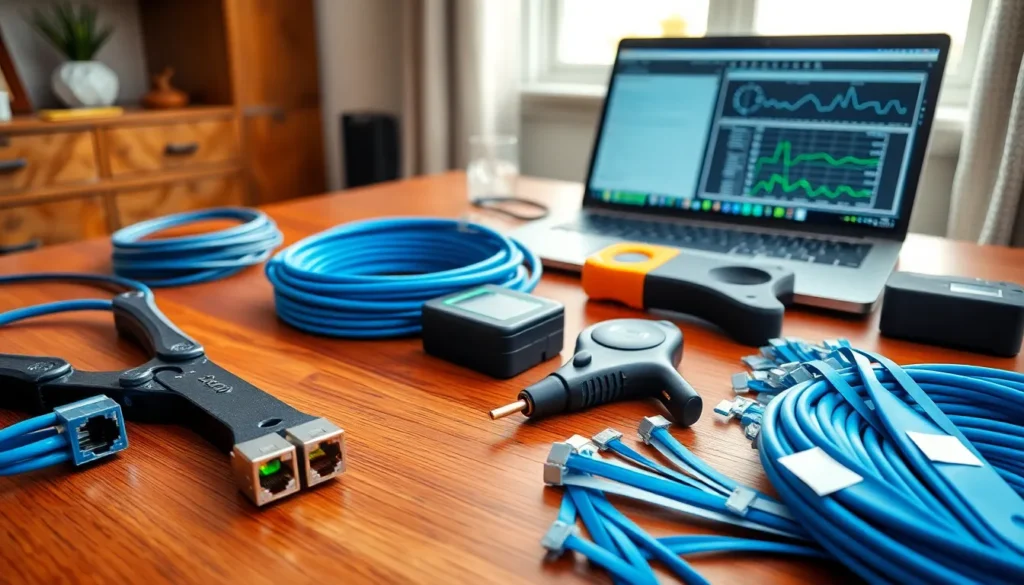

Home networking tools make the difference between a frustrating setup and a reliable connection. Whether someone is running ethernet cables through walls or troubleshooting a slow Wi-Fi signal, the right tools save time and prevent headaches. This guide covers the essential home networking tools every homeowner and tech enthusiast should consider. From basic cable crimpers to advanced diagnostic software, these tools help build, test, and maintain a network that performs consistently.
Table of Contents
ToggleKey Takeaways
- Home networking tools like cable crimpers, punchdown tools, and fish tape form the foundation for any reliable network installation.
- Cable testers and tone generators are essential for verifying connections and locating cables hidden in walls.
- Software tools such as IP scanners, Wi-Fi analyzers, and bandwidth testers help monitor performance and troubleshoot network issues.
- Match your home networking tools to your project scope—simple upgrades need fewer tools than full-home wiring projects.
- Invest in quality for frequently used items like crimpers, but budget options work fine for occasional-use tools.
- Choose tools compatible with current and future cable standards (like Cat6a) to protect your investment as network technology evolves.
Basic Cable and Connectivity Tools
Every home networking project starts with physical connections. The following tools form the foundation of any network setup.
Ethernet Cable Crimpers
A quality crimping tool creates secure RJ-45 connections on Cat5e, Cat6, or Cat6a cables. Look for crimpers with built-in wire cutters and strippers. This single tool handles three jobs, which keeps the toolkit compact.
Punchdown Tools
These tools push wires into keystone jacks and patch panels. A 110-type punchdown tool works for most residential installations. Some models include a blade that trims excess wire automatically.
Cable Strippers and Cutters
Precision matters here. A dedicated cable stripper removes the outer jacket without damaging internal wires. Flush-cut cable snips create clean ends that fit properly into connectors.
Fish Tape and Cable Pulling Rods
Running cables through walls requires patience and the right pulling equipment. Fish tape works well for short runs through conduit. Flexible glow rods help push cables through longer wall cavities. These home networking tools prevent the frustration of cables getting stuck mid-pull.
Label Makers and Cable Ties
Organization prevents future troubleshooting headaches. A label maker identifies each cable run at both ends. Velcro cable ties bundle wires neatly without damaging the insulation. These small investments pay off during maintenance or upgrades.
Network Testing and Diagnostic Equipment
Building a network is only half the job. Testing ensures everything works correctly from day one.
Cable Testers
A basic cable tester confirms continuity and proper wiring order. These devices show whether a cable passes data or has a fault. For home networking tools, an affordable tester under $30 handles most needs.
Tone Generators and Probes
When cables disappear into walls, tone generators help locate them. The generator sends a signal through the cable, and the probe detects it at the other end. This setup identifies unlabeled cables quickly.
Network Cable Certifiers
Serious home networkers may invest in a certifier. These devices test cable performance against industry standards. They verify that a Cat6 cable actually performs at Cat6 specifications. The price point is higher, but certifiers catch problems that basic testers miss.
Wi-Fi Analyzers
A dedicated Wi-Fi analyzer measures signal strength throughout a home. Some models display channel interference and recommend optimal access point placement. Handheld analyzers offer features beyond what smartphone apps provide.
Power over Ethernet (PoE) Testers
If the network includes PoE devices like security cameras or access points, a PoE tester confirms power delivery. These tools show voltage levels and help diagnose power-related failures. Home networking tools that test PoE save hours of guesswork.
Software Tools for Network Management
Hardware handles the physical layer. Software manages everything else.
Network Monitoring Applications
Programs like PRTG, Nagios, or the free version of Spiceworks track network performance. They alert users to bandwidth issues, device failures, or unusual traffic patterns. Even simple tools provide valuable visibility into network health.
IP Scanners
Angry IP Scanner and Advanced IP Scanner are popular free options. These programs show every device on the network with its IP address and hostname. They help identify unknown devices and manage IP assignments.
Bandwidth Testing Tools
Speedtest by Ookla measures internet connection speed. For internal network testing, iPerf measures throughput between devices. Both tools help verify that home networking tools and configurations deliver expected performance.
Wi-Fi Survey Software
Applications like NetSpot or Ekahau create heat maps of Wi-Fi coverage. They show dead zones and areas with strong signal. This data guides access point placement and antenna adjustments.
Router and Firewall Management Interfaces
Most routers include built-in management software. These interfaces control port forwarding, DHCP reservations, and security settings. Learning the router’s management tools helps users get the most from their equipment.
Mobile Apps for Quick Diagnostics
Smartphone apps provide convenient network testing on the go. Fing scans networks from a phone. WiFi Analyzer apps show channel congestion. These mobile home networking tools complement desktop software nicely.
Tips for Choosing the Right Tools for Your Setup
Not every home network needs professional-grade equipment. Matching tools to actual needs saves money and storage space.
Assess the Project Scope First
A simple router upgrade requires different tools than a full-home wiring project. Before buying anything, list the specific tasks. A person adding one ethernet drop needs a crimper and tester. Someone wiring an entire house needs fish tape, label makers, and more.
Prioritize Quality for Frequently Used Items
Crimpers get heavy use during cable runs. Buying a quality crimper prevents frustration and wasted connectors. For one-time tools like tone generators, a budget option often works fine.
Consider Combo Tools and Kits
Many manufacturers sell home networking tools in kits. These bundles typically include a crimper, cable tester, punchdown tool, and connectors. Kits offer convenience and often cost less than buying items separately.
Read Reviews from Other Home Networkers
Online forums and product reviews reveal real-world performance. A tool that works perfectly in a lab might fail in actual home conditions. Community feedback helps avoid disappointing purchases.
Plan for Future Upgrades
Network standards evolve. Cat6a cables support faster speeds than Cat5e. Buying tools compatible with current and future cable types extends their usefulness. Home networking tools that handle multiple cable categories represent better long-term investments.


